Sleep Drift
Create any sound for sleeping.
Most sleep apps play you a recording from a fixed library. This one makes the sound — on your iPhone, in seconds, from whatever you type.

iPhone · iOS 17 or later · works offline
Create any sound for sleeping.
Most sleep apps play you a recording from a fixed library. This one makes the sound — on your iPhone, in seconds, from whatever you type.
iPhone · iOS 17 or later · works offline
Type “rain on a canvas tent”, “box fan in a big empty room”, or “a creek over smooth stones”. Sleep Drift generates that sound on your iPhone. What you describe is never picked from a library — it is made, from your words, the moment you ask. (Twelve one-tap classics are built in, made the first time you play one, for the nights you would rather not think of anything.)
Four of the sounds the app ships with, made by the same engine that makes yours. Nothing plays until you press one.
Each of these is a single short take on repeat, so you are hearing the texture rather than the night. In the app several takes of your sound rotate over a second bed of a different length, which is what pushes the repeat past the point where you would notice it.
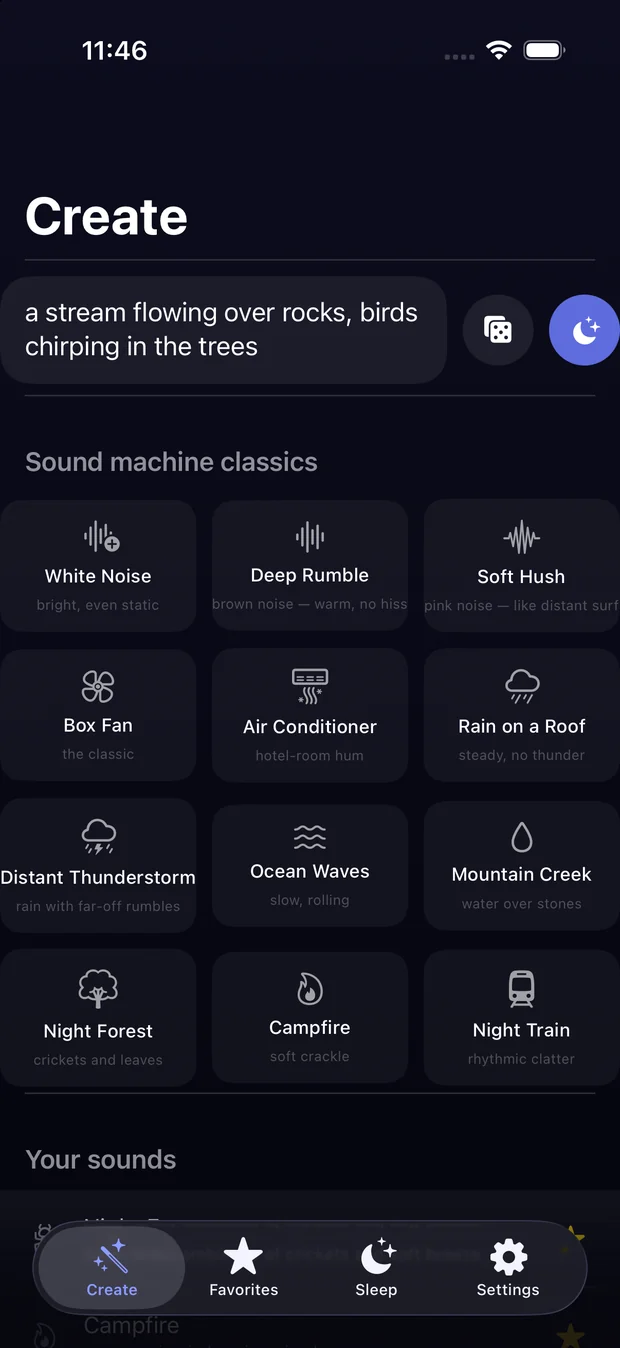
Describe itType the sound, or tap one of the twelve classics. The dice writes a prompt on the nights you cannot.
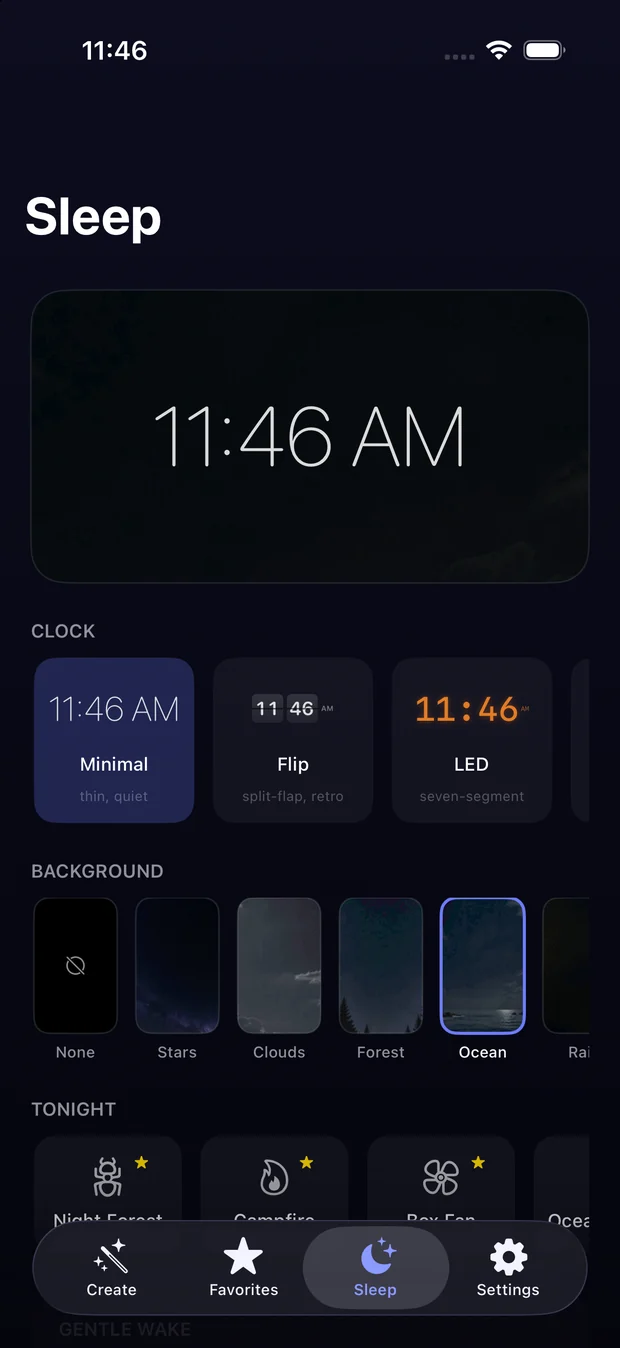
Set the nightA timer that fades out slowly, and a morning sound that rises from a whisper over two minutes.
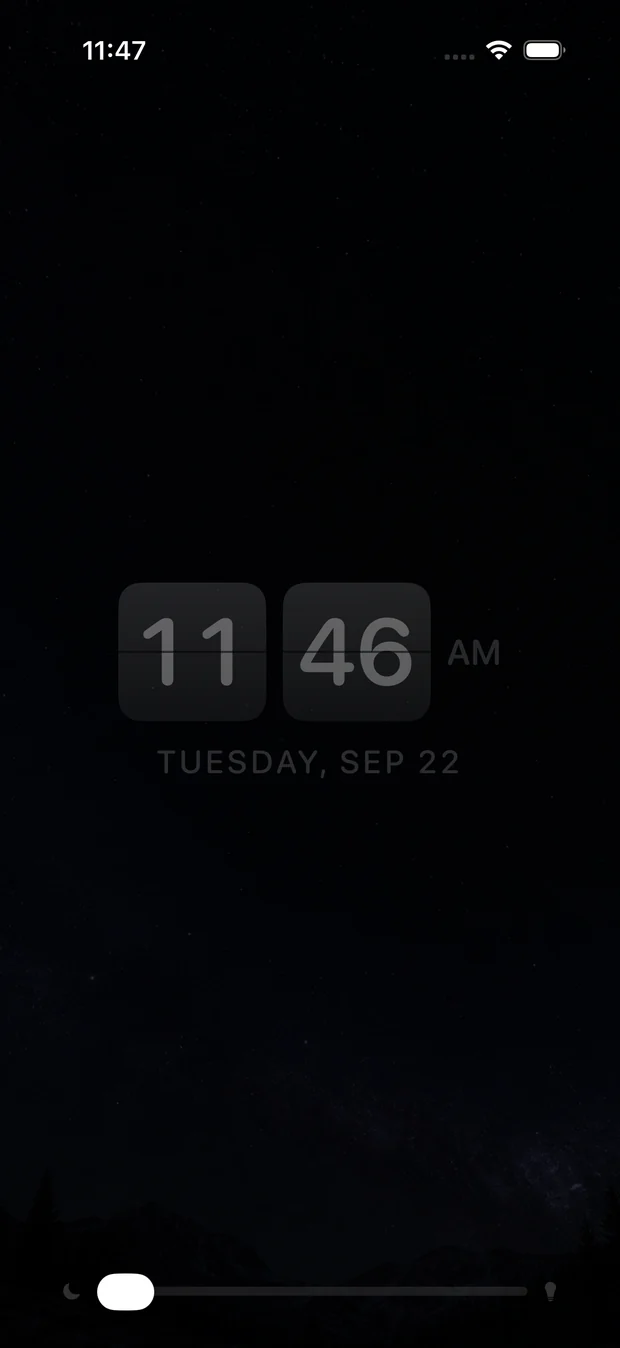
Put it downNightstand mode dims to something you can read at 3am, in seven faces, with an amber nightlight of its own.
Unlimited sounds, made on demand, kept in your library for good.
“A stream over rocks, birds in the trees” is built as two layers and mixed, so you can describe a whole room.
Describe a sound in any of nine languages. Your words are translated on the phone before it is made, so nothing is sent anywhere. (Needs iOS 18 and Apple’s language pack for your language.)
Twelve of them: white, brown and pink noise, box fan, air conditioner, rain on a roof, distant thunderstorm, ocean, mountain creek, campfire, night forest, night train.
A slow fade out, so nothing cuts off mid-breath.
Your morning sound rises from a whisper over two minutes. If the phone has closed the app overnight, a notification fires at the same time as a backstop, so the morning still happens.
An ultra-dim clock you can read at 3am, in seven faces from minimal to split-flap, with a choice of backgrounds and a warm amber nightlight you can turn up on its own.
A single slider tilts the whole sound from brown-noise warmth to a brighter hiss — one control instead of three separate noise files, and it works on anything you have made, not just the built-in ones.
Tap it and it writes a prompt for you. For the nights when you want something new and cannot think of anything.
Star what works and it stays at the top of your library, with an icon you pick for it. Nothing you make is ever deleted.
No account. No servers. No internet after install. The sound is synthesised on the device itself, which means nothing you type and nothing you make ever leaves it — and it works on a plane, in a cabin, or in airplane mode all night.
Sleep Drift collects nothing at all. Not usage, not analytics, not your prompts. See the privacy policy.
Guidance for infant sleep puts all-night sound under about 50 dB, with the speaker across the room rather than beside the cot. Sleep Drift does not measure that and does not pretend to: turning a phone microphone into a calibrated sound-level meter needs a constant that differs per handset, and a number that is wrong by 20 dB about an infant's hearing is worse than no number at all.
The test that works needs no hardware: if you have to raise your voice over it, it is too loud.
Your first sound is free to make, and it is yours to keep. Until you unlock the app, saved sounds play five minutes at a time. Subscribe and the first week is free if you have not used the trial before — that week is Apple's, applied by the App Store the first time you subscribe, so you can sleep a whole night to it before deciding. Or skip the subscription and unlock it forever with one payment. Nothing you have made is ever deleted: your library stays playable either way.
An Apple Account that has already used the free week does not get another one. Where it applies, the free week becomes a paid subscription unless you cancel at least 24 hours before it ends. A subscription renews monthly or yearly until you cancel it and is billed to your Apple Account; manage or cancel it in Settings › Apple Account › Subscriptions. The one-time unlock is not a subscription and never renews.